There are different types of APIs with different scopes, benefits and intended audiences, which makes each of them uniquely suited for their unique purposes. The Knowledge Model API is a generic purpose API, supporting pure REST and serving any use case. However, it turns out that industry protocol standards can speed up integration and guarantee native interoperability with numerous cloud platforms without the need to build a dedicated connector.
OData is one of the most popular industry API protocol standards in in recent years, adopted by many commercial platforms (such as Microsoft, SAP, Salesforce, etc.) as well as most of the analytics and business intelligence platforms (including Tableau, PowerBI, and SAP Analytics cloud). Whereas REST is an architectural style solely concerned with data transfer via web service APIs, OData builds upon REST architecture with a set of metadata that can be easily integrated into most programming and scripting languages. OData provides self-discoverability and standard functionality, thus helping applications to focus on business logic without worrying about the various API approaches to define request and response headers, status codes, HTTP methods, URL conventions, media types, payload formats, query options, etc.
There is no need for development skills to manage and make use of OData integration. It can be handled by personas like:
- Data Analysts
- Data Scientists
- Business Intelligence Professionals
The OData service definition is the mechanism used to define what data is exposed with OData, how, and to whom. Data is exposed as OData collections. Refer to OData doc: 3 Service Root URL. Every Celonis Knowledge Model (KM) dynamically generates an OData service including collections of KM records, thus making the KM queryable. The path to access the KM OData service is GET {{base-path}}/odata/{{km-id}}.svc By sending the request GET https:://{{team}}{{realm}}.celonis.cloud/intelligence/api/odata/{{km-id}}.svc, one gets:
- Either an xml response if
Accept=application/xml,$format=application/xmlor$format=xml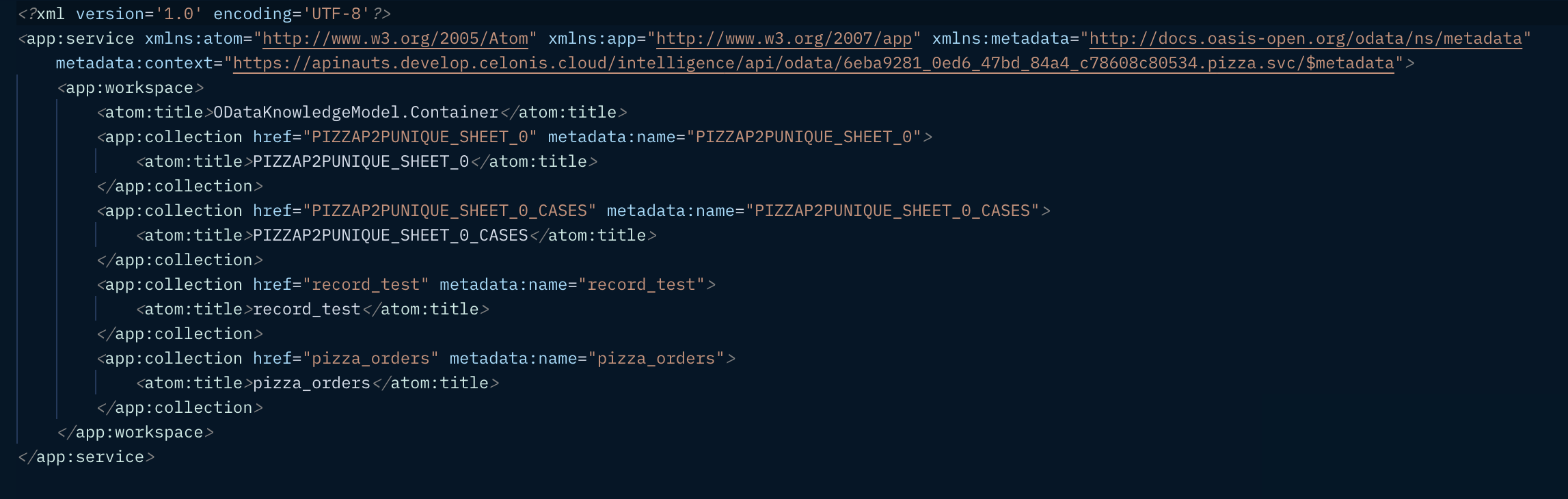
- Or a json response if
Accept=application/json,$format=application/jsonor$format=json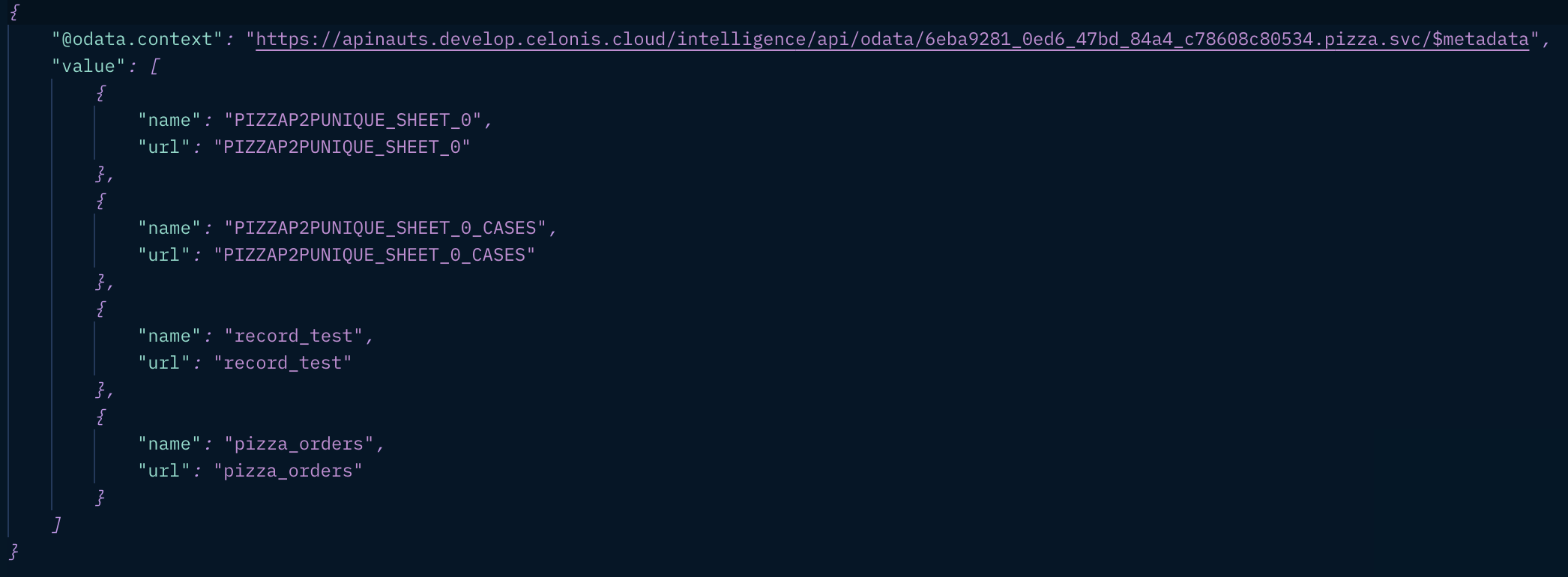
OData metadata documents describe the Entity Data Model (EDM) for a given service, which is the underlying abstract data model used by OData services to formalize the description of the resources it exposes. Refer to OData doc: 4.1 Addressing the Model for a Service. Every Celonis Knowledge Model (KM) dynamically generates their OData metadata including the schema of each KM record, thus making the KM self-discoverable. The path to access the KM OData metadata is GET {{base-path}}/odata/{{km-id}}.svc/$metadata By sending the request GET https:://{{team}}{{realm}}.celonis.cloud/intelligence/api/odata/{{km-id}}.svc/$metadata, one gets:
- Either an xml response if
Accept=application/xml,$format=application/xmlor$format=xml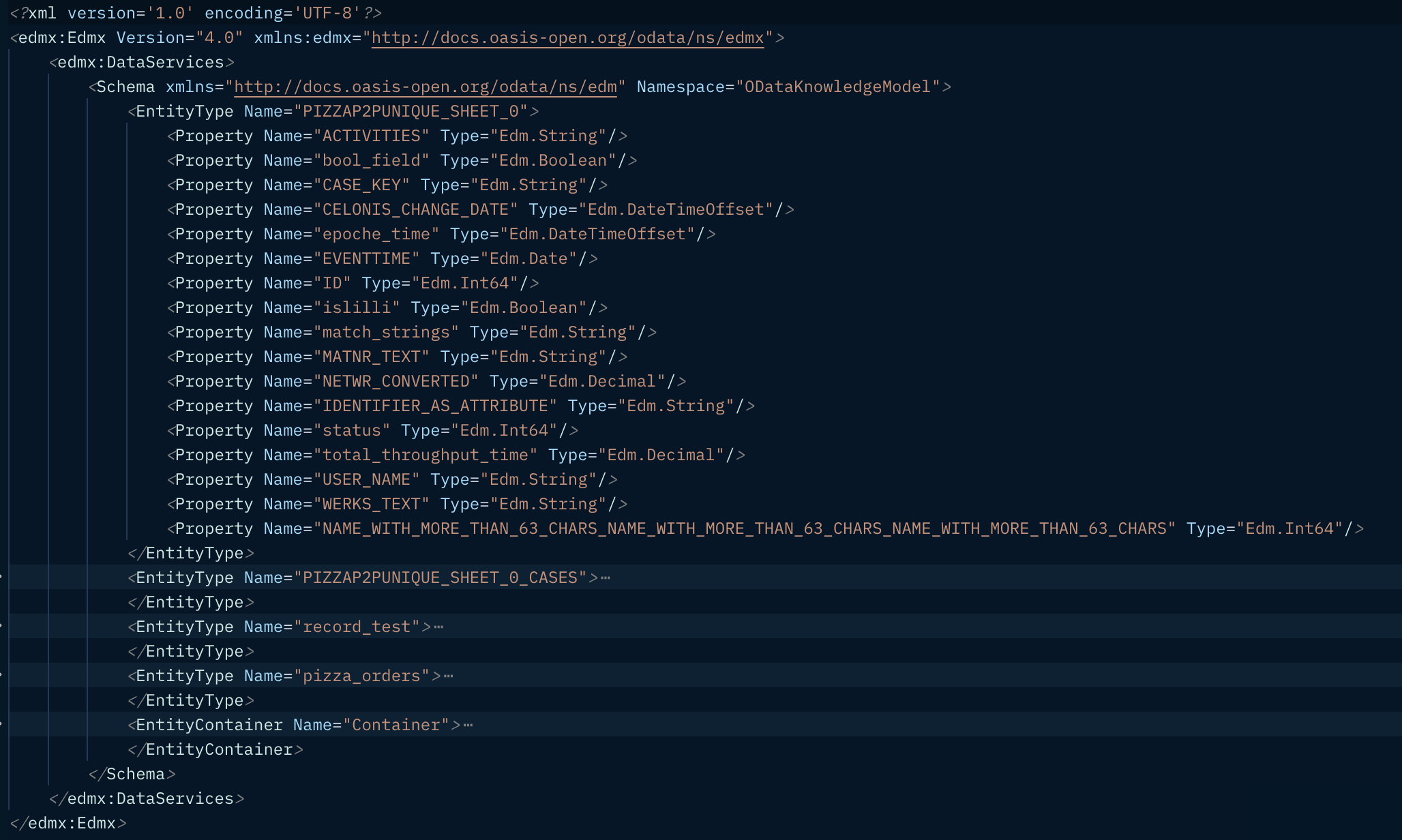
- Or a json response if
Accept=application/json,$format=application/jsonor$format=json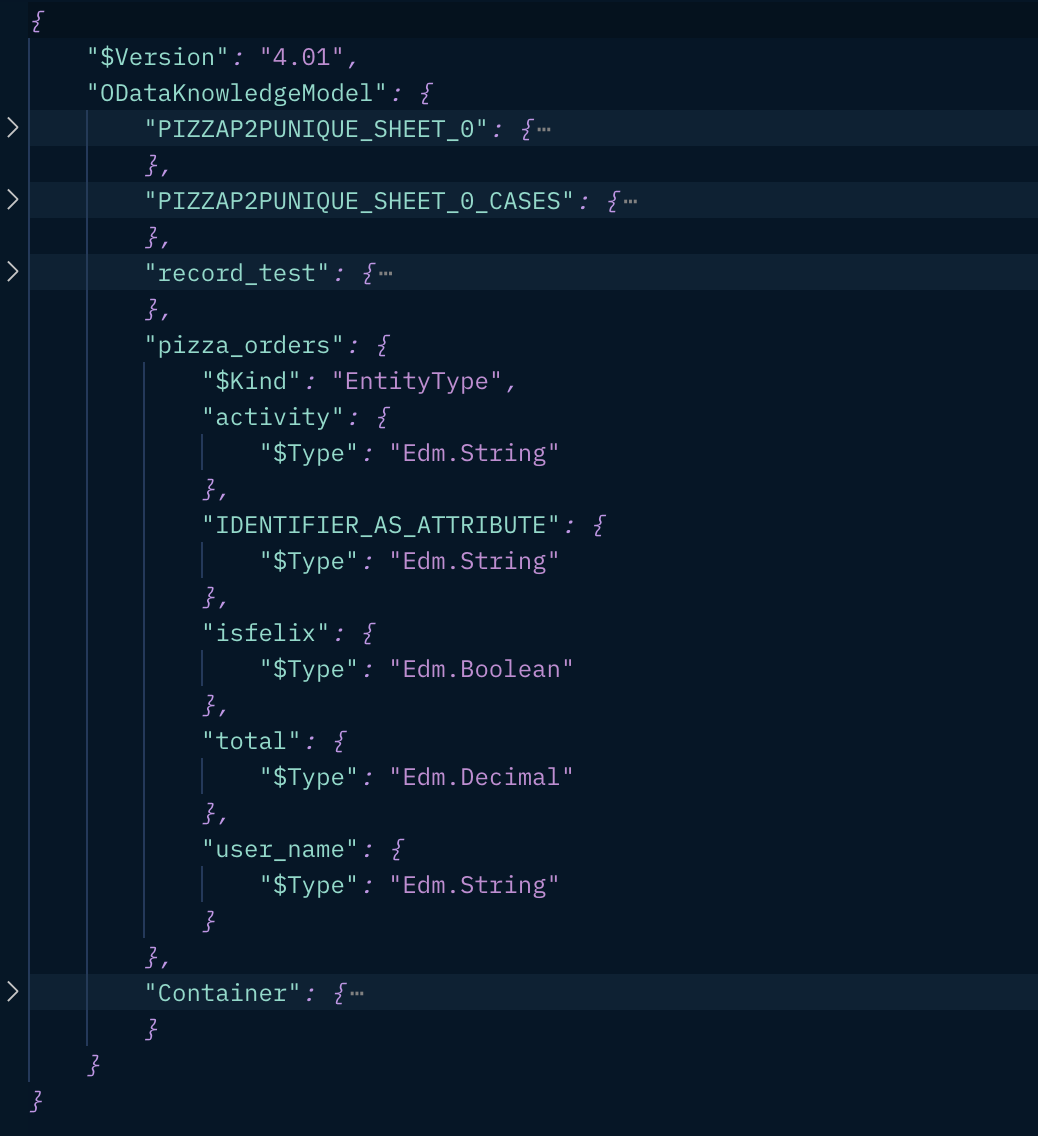
OData specifies a simple, yet powerful query language that allows a client to request arbitrary field selection, filtering, sorting, paging and so on. A client is able to express, via query string parameters, the amount and order of the data that an OData service returns for the resource identified by the URI. Every Celonis Knowledge Model (KM) record allows consumer to query them via OData query syntax described at Odata doc: 5 Query Options. The path to query the KM record via OData protocol is GET {{base-path}}/odata/{{km-id}}.svc/{{record-id}} By sending the request GET https:://{{team}}{{realm}}.celonis.cloud/intelligence/api/odata/{{km-id}}.svc/{{record-id}}, one gets:
- Either an xml response if
Accept=application/xml,$format=application/xmlor$format=xml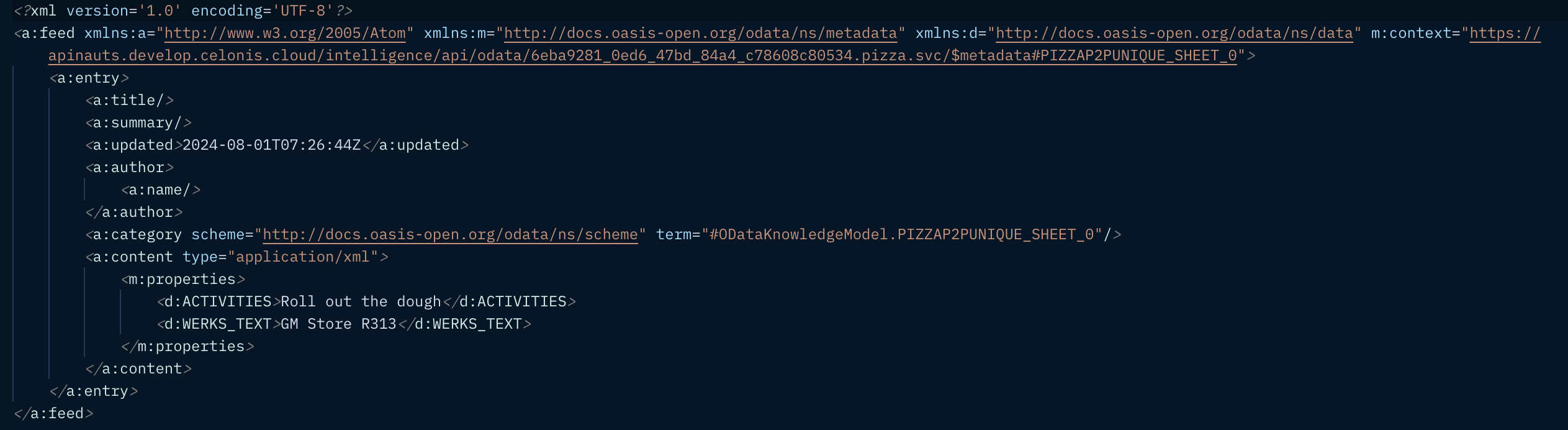
- Or a json response if
Accept=application/json,$format=application/jsonor$format=json Query options that are supported:
 $filter: Refer to the OData doc 5.1.2 System Query Option $filter$select: Refer to the OData doc 5.1.4 System Query Option $select$orderby: Refer to the OData doc 5.1.5 System Query Option $orderby$topand$skip: Refer to the OData doc 5.1.6 System Query Options $top and $skip$format: Refer to the OData doc 3 Requesting the JSON Format$count=true: Refer to the OData doc 5.1.7 System Query Option $countfilterid: A custom option that allows the usage of predefined KM filters Example of a query URI:https://apinauts.develop.celonis.cloud/intelligence/api/odata/poc-ms-excel-1.svc/O_CELONIS_ORDER?$select=ID,CREATIONTIME&$orderby=ID desc&$filter=CREATIONTIME gt 2024-04-25&$top=1000&$skip=10&filterid=this_quarter
The procedure to create an Import Data Connection from an OData Source into SAP Analytics Cloud takes a few clicks as described at SAP Analytics Cloud Documentation.
This example illustrates how to connect Tableau to an OData data source.
After adding the Microsoft Power Query for Excel, one can easily connect to Celonis by following the below simple steps:
- Open Microsoft Excel.
- Create a new, blank workbook.
- On the Power Query tab, click From Other Sources in the Get External Data group, and then click From OData Data Feed.
- In the OData Feed dialog box page, in the URL box, specify the website address for the data feed as follows:
{{base-path}}/odata/{{km-id}}.svc/{{record-id}}?{{parameter-value-list}}
For example:https://apinauts.develop.celonis.cloud/intelligence/api/odata/poc-ms-excel-1.svc/O_CELONIS_ORDER?$select=ID,CREATIONTIME&$orderby=ID desc&$filter=CREATIONTIME gt 2024-04-25&$top=1000&$skip=10 - If you are prompted for your API key, enter it and then log on. The Query Editor opens.
- In the Query Editor, view the records available for the endpoint. Edit the queries as required.
- Click Close & Load to import the endpoint information in Excel in tabular format.
[1]: Contact your Celonis account team if you want to join the OData Beta program.