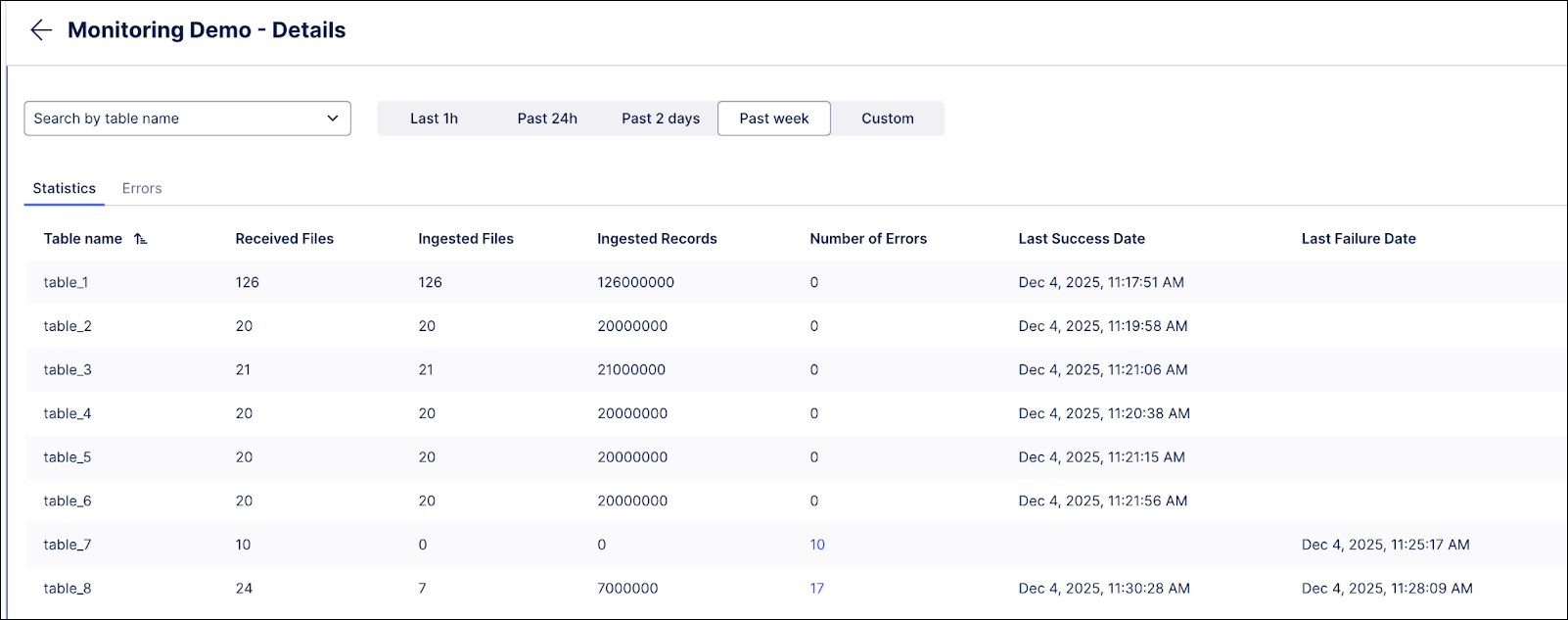
The Statistics tab in the Monitoring section provides high-level ingestion data at the table level. This data is updated in real-time based on the files uploaded. The following KPIs are included on this tab:
| KPI Name | Description |
|---|---|
| Received Files | Number of files that have been uploaded to Celonis in the selected timeframe. |
| Ingested Files | Number of files that have been successfully ingested after the upload into the datalake. |
| Ingested Records | Count of rows that have been ingested. |
| Number of Errors | Count of ingestion failures. |
| Last Success Date | When the last uploaded file was successfully ingested into the datalake. |
| Last Failure Date | When the last ingestion failure happened. |
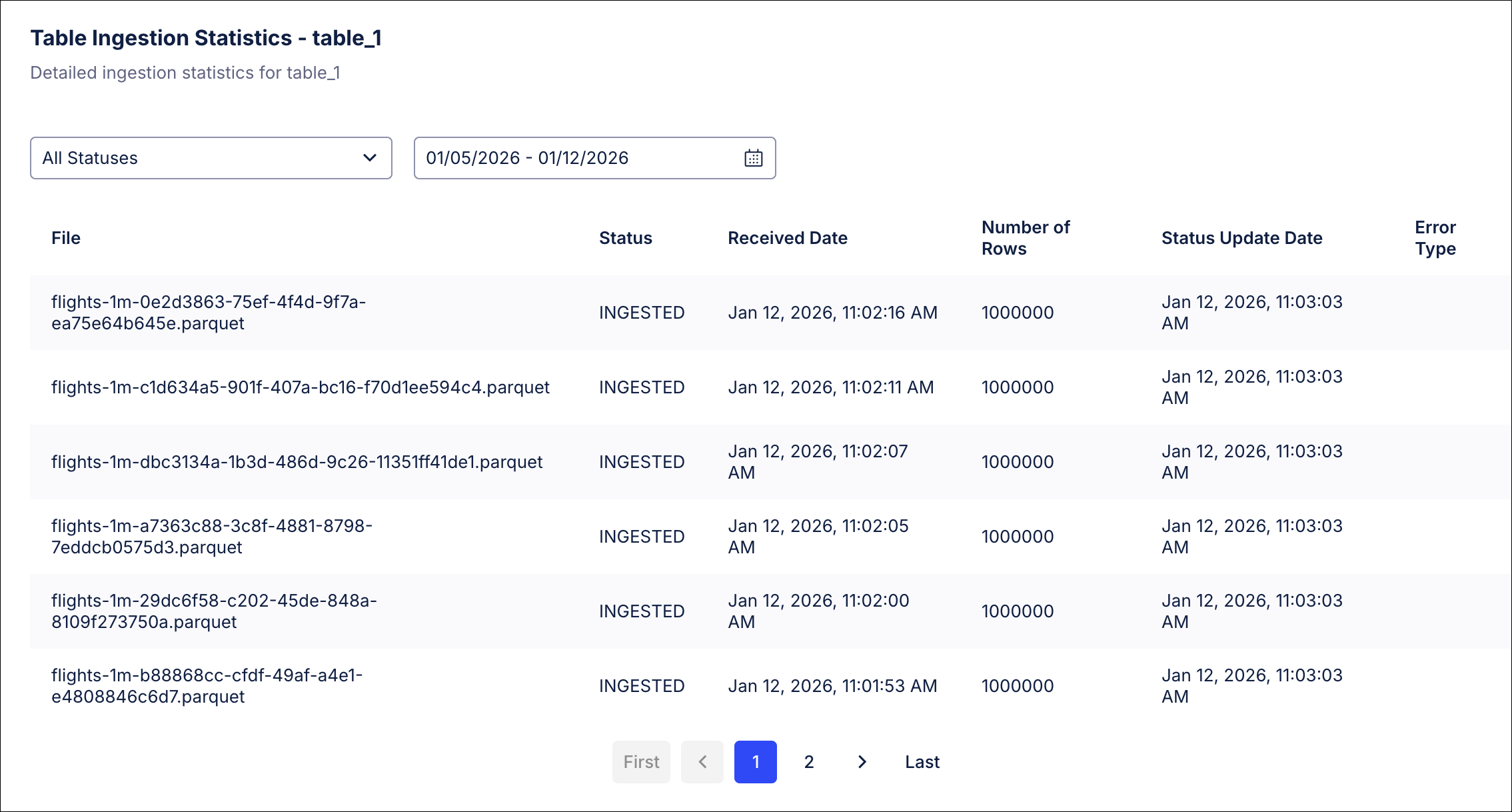
You can also drilldown into the tables to view file level detailed logs. In the dialogue you will see the uploaded files and their processing statuses in real time as they are uploaded and ingested.